Add Weather and Fuel Moisture From FEMS
Important! This topic is currently under development. Additional help will be added here in the coming weeks. Thank you for your patience.
The Weather Station input has options to manually enter values (for wind, fuel moisture, and optional fuel moisture conditioning), or apply values from the Remote Automated Weather Station (RAWS) nearest to your landscape, or a RAWS of your choosing. Weather station values are derived from the Fire Environment Mapping System (FEMS).

Each Weather Station selection is described in a section below, these include:
Manually enter values
Manually entering values leaves all model input fields blank, you fill each field based on inputs of your choosing. This is the default.
Use closest station to my landscape
Selecting the Use closest station to my landscape option automatically selects a RAWS by:
- Identifying the center of the landscape extent.
- Calculating the distance from the center to the nearest RAWS using a horizontal/vertical (elevation) algorithm.
- Ranking the stations and selecting the station which is the “closest” and has weather data requisite for running the model.
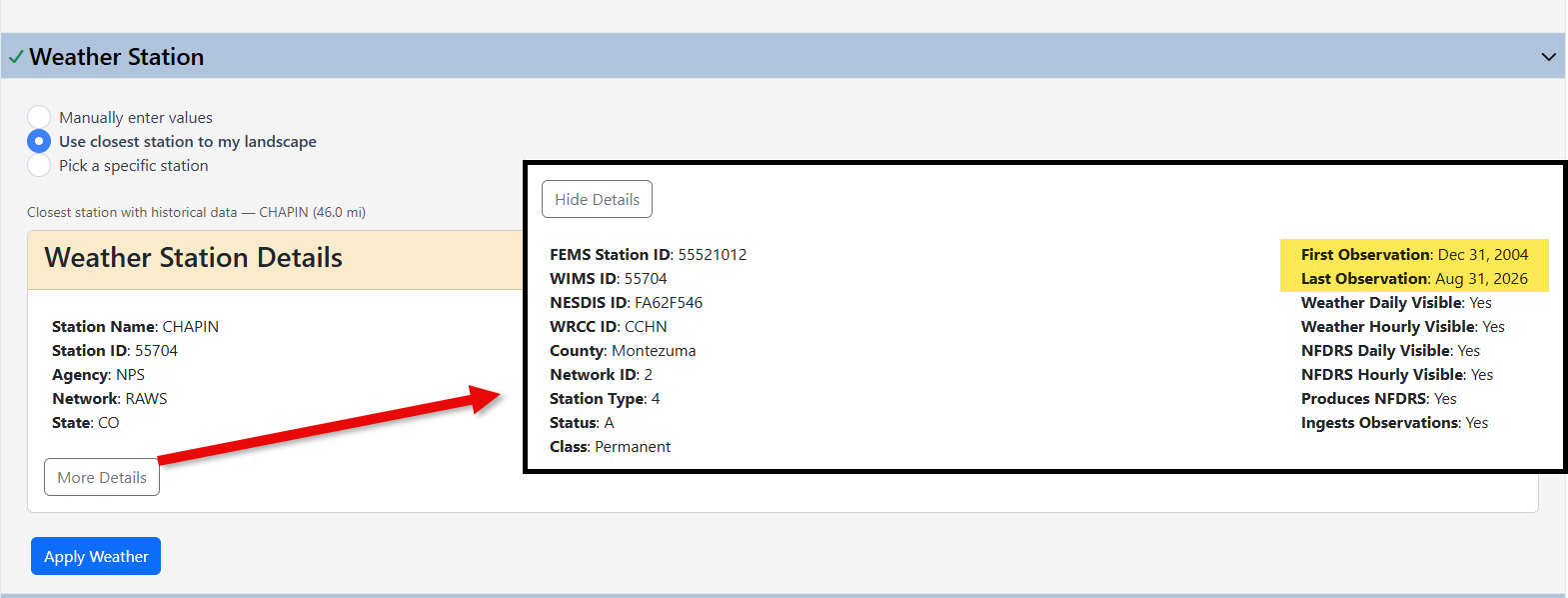
Weather station information including name, observation dates, and other metadata are displayed. This includes the first and last observation dates, visible by selecting More Details in the bottom left.
To continue with the selected RAWS, select Apply Weather to further refine the data you need:
Next, you will be prompted to select RAWS data based upon source, severity, wind and other (advanced) options. These are described in the sections below.
Weather source
-
Percentile weather (from years of record). Available dates depend on the weather station and are listed in weather station details. After selecting this option you are prompted to specify severity.
-
A specific date. This includes further options for using data for a specific hour of the day (in local station time), or the day's most extreme reading. After selecting this option you are not prompted to specify severity.
Severity
Severity options are calculated based upon the available years of station data, covering the period of time from 1300-1700 local station time, unless further refined under the Advanced Options. Severity is expressed in percentiles and choices include:
-
97th percentile (extreme)
-
90th percentile (very high)
-
80th percentile (high)
-
50th percentile (typical)
-
A percentile of your choosing
Wind
Wind choices include:
-
Average wind - Wind speed averaged over 10 minutes of each hour.
The average windspeed from at least 600 measurements (at least one per second) taken within the 10-minute window prior to the station's hourly transmission time.
-
Gust wind - The highest observed instantaneous wind speed in the previous hour.
The highest observed wind speed from among at least 720 observations (at least once every 5 seconds) taken in the hour prior to the station's hourly transmission time.
Advanced
Advanced options include choices to further refine the weather selections by hours, years, and season.
-
Hours sampled
-
Afternoon (1300-1700 local station time)
-
A single hour (that you specify)
-
Custom hours (a specific range of hours you choose)
-
Each days most extreme reading (the most extreme hour of weather readings)
-
-
Years: a specific range of years.
-
Season window
-
From month/day to month/day. If these fields are left blank, all seasons will be included.
To check your inputs, click Preview. Upon previewing, to use the values you've generated, select Apply in the bottom right.
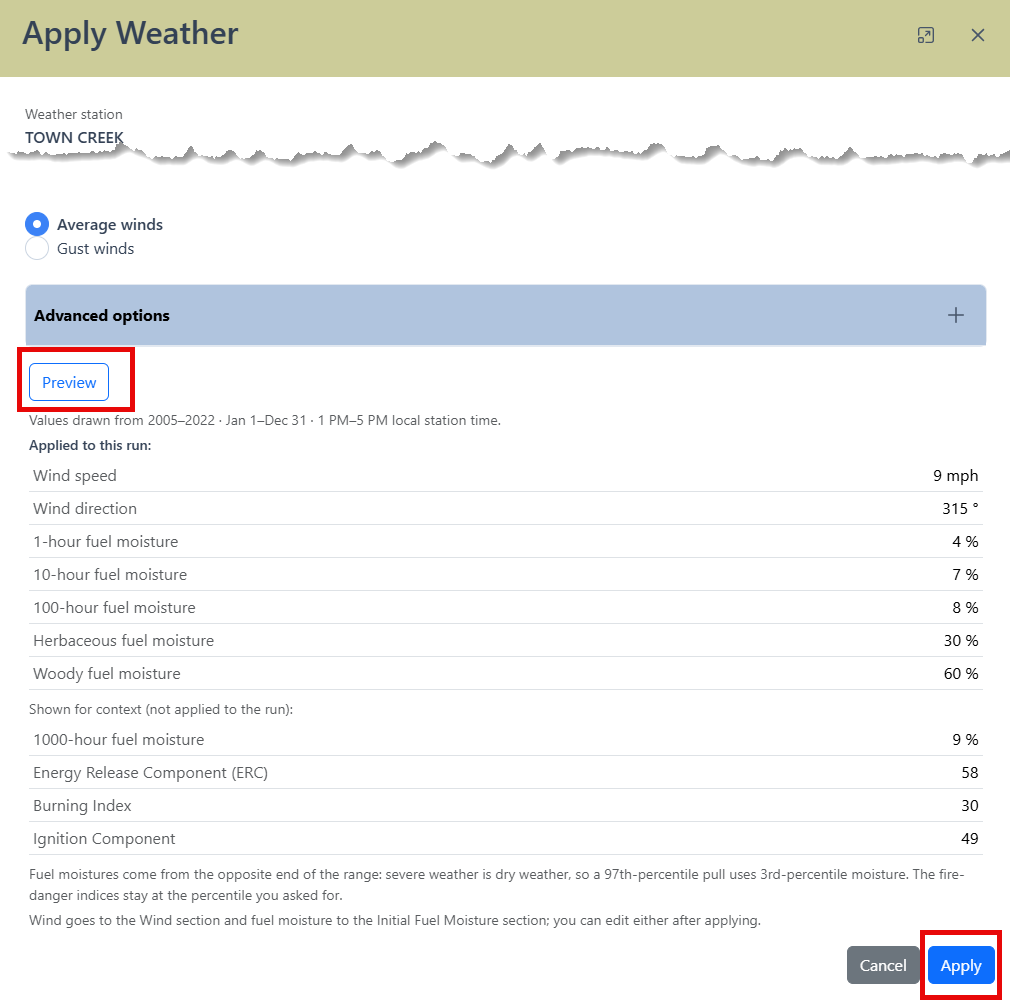
Any applied weather station values may be changed or edited manually. Models in which Weather Station data will list the station in the right hand metadata panel for the run.
Tip: Specific filters such as date ranges, years, etc. are not captured in the right hand metadata panel. We recommend making of a not of these choices in the option notes field for your model.
-
Pick a specific station
Opting to Pick a specific station will display available stations in a dropdown list. RAWS distance from your landscape are shown in parentheses and stations are listed in ascending order starting with the closest.
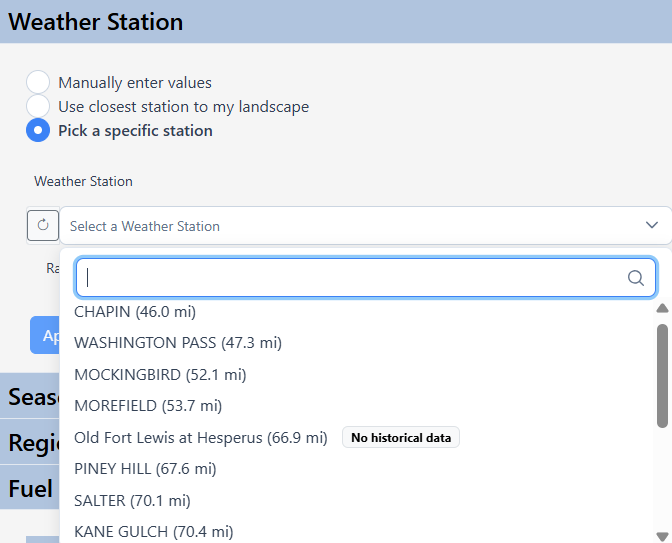
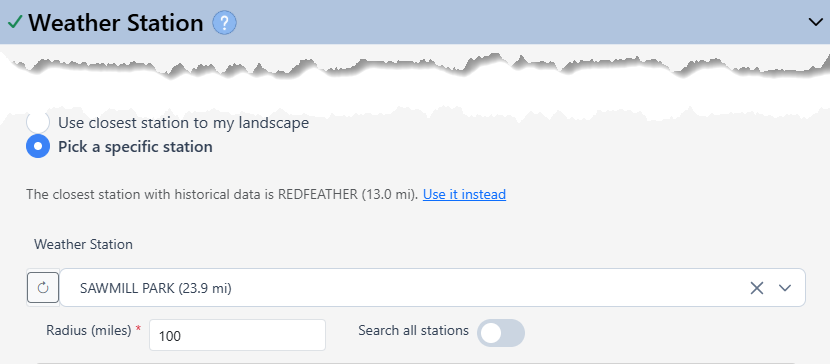
Picking a Weather station, you will see a comparison between your chosen weather station and the closest station with historic data. Below the selection field are options to adjust the station search radius, or search all stations.
The weather station will also be visible in Map Studio.
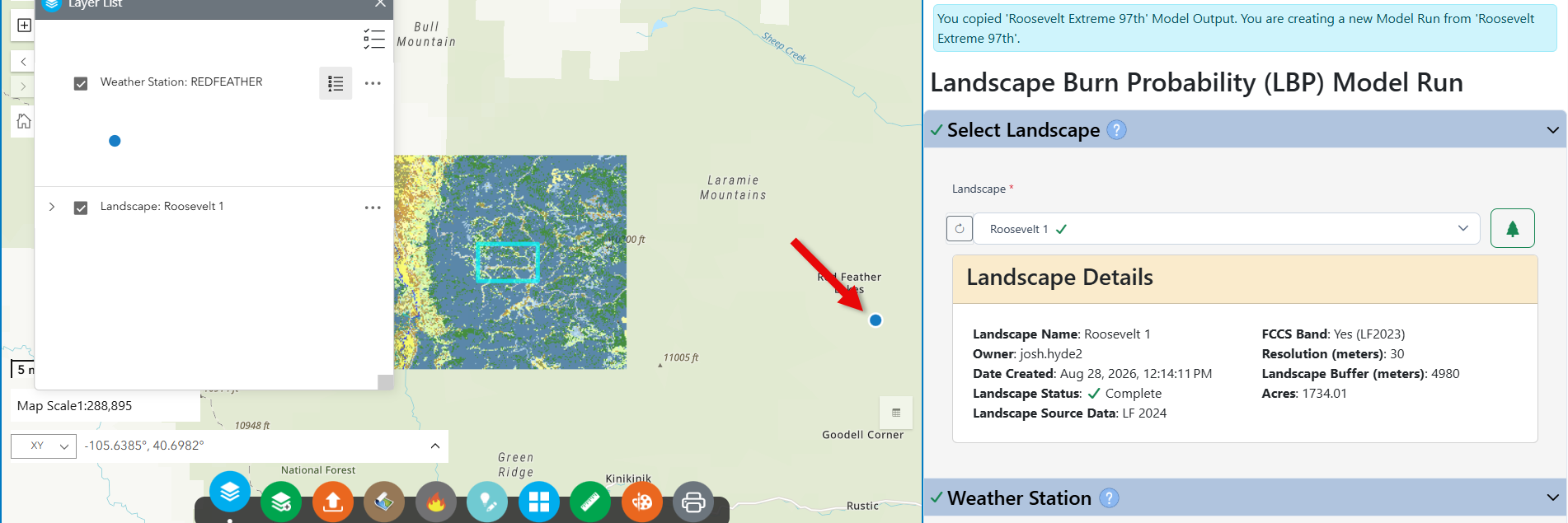
Weather station information including name, observation dates, and other metadata are displayed. This includes the first and last observation dates, visible by selecting More Details in the bottom left.
To continue with the selected RAWS, select Apply Weather to further refine the data you need:
Next, you will be prompted to select RAWS data based upon source, severity, wind and other (advanced) options. These are described in the sections below.
Weather source
-
Percentile weather (from years of record). Available dates depend on the weather station and are listed in weather station details. After selecting this option you are prompted to specify severity.
-
A specific date. This includes further options for using data for a specific hour of the day (in local station time), or the day's most extreme reading. After selecting this option you are not prompted to specify severity.
Severity
Severity options are calculated based upon the available years of station data, covering the period of time from 1300-1700 local station time, unless further refined under the Advanced Options. Severity is expressed in percentiles and choices include:
-
97th percentile (extreme)
-
90th percentile (very high)
-
80th percentile (high)
-
50th percentile (typical)
-
A percentile of your choosing
Wind
Wind choices include:
-
Average wind - Wind speed averaged over 10 minutes of each hour.
The average windspeed from at least 600 measurements (at least one per second) taken within the 10-minute window prior to the station's hourly transmission time.
-
Gust wind - The highest observed instantaneous wind speed in the previous hour.
The highest observed wind speed from among at least 720 observations (at least once every 5 seconds) taken in the hour prior to the station's hourly transmission time.
Advanced
Advanced options include choices to further refine the weather selections by hours, years, and season.
-
Hours sampled
-
Afternoon (1300-1700 local station time)
-
A single hour (that you specify)
-
Custom hours (a specific range of hours you choose)
-
Each days most extreme reading (the most extreme hour of weather readings)
-
-
Years: a specific range of years.
-
Season window
-
From month/day to month/day. If these fields are left blank, all seasons will be included.
To check your inputs, click Preview. Upon previewing, to use the values you've generated, select Apply in the bottom right.
Any applied weather station values may be changed or edited manually. Models in which Weather Station data will list the station in the right hand metadata panel for the run.
Tip: Specific filters such as date ranges, years, etc. are not captured in the right hand metadata panel. We recommend making of a not of these choices in the option notes field for your model.
-