Inputs - Compare Weather
Compare weather is used with model outputs from already completed runs. The only “inputs” needed are the model outputs you are comparing. Start by selecting the type of model output you plan to compare and then select your first model run. Once the first model run is selected, a picklist of additional model runs auto populates. The auto-populated list will include:
-
All runs of the same model type as the initial run selected.
-
All those model runs that were conducted on the same landscape as the initial run selected.
-
For MTT Fire Spread or Landscape Burn Probability model runs, all runs that were conducted with the same ignition files.
You may select up to four additional runs to compare to your initial selection, making for a total of five.
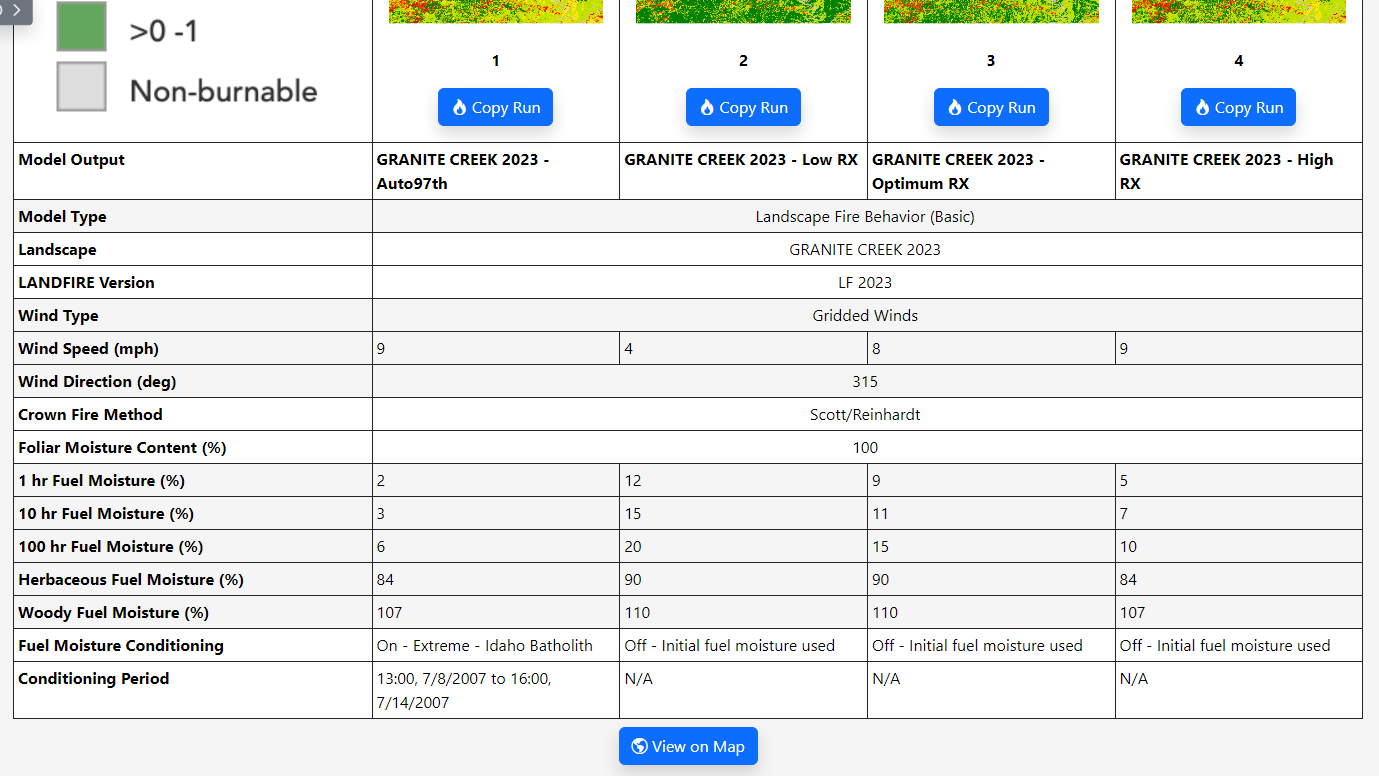
The input details for each model output you are comparing are displayed in a table visible under thumbnail images of the model output.
If you need to create a model run similar to one you’re already comparing, click the Copy Run button to navigate away from Compare Weather and open a copy of a particular run. After that, you can make alterations and save it as a new run to be used in your comparison.